E2Stream Update

I’m still working on the next release of E2Stream – likely to be v1.5
This has had a few massive changes in to:

  1. Finally fix the 4:3 issue that’s plagued the SD channels
  2. Work with picons using service name (new functionality in e2) or service id
  3. Introduce a new full screen mode to change channels/etc
  4. Allow playback of recordings

One offshoot of this – the changing between a windowed player and a full screen player really causes problems on certain TVs that I can’t recreate on the emulator or other TVs, therefore I’m almost certainly likely to abandon the ‘window’ player as it doesn’t add too much and gives more real estate on the screen.

The full screen mode allows you to use channel up/down to change the channels, but you can always revert back to the bouquet list to select still.

Due to the volume of changes theres still quite a lot of testing to do and some small bugs to iron out so the release of this will be a few days off yet.

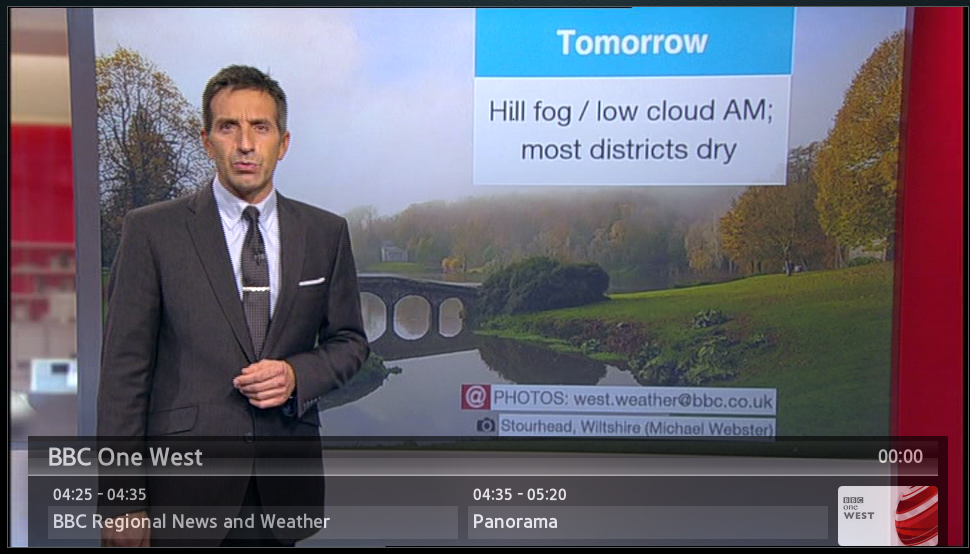
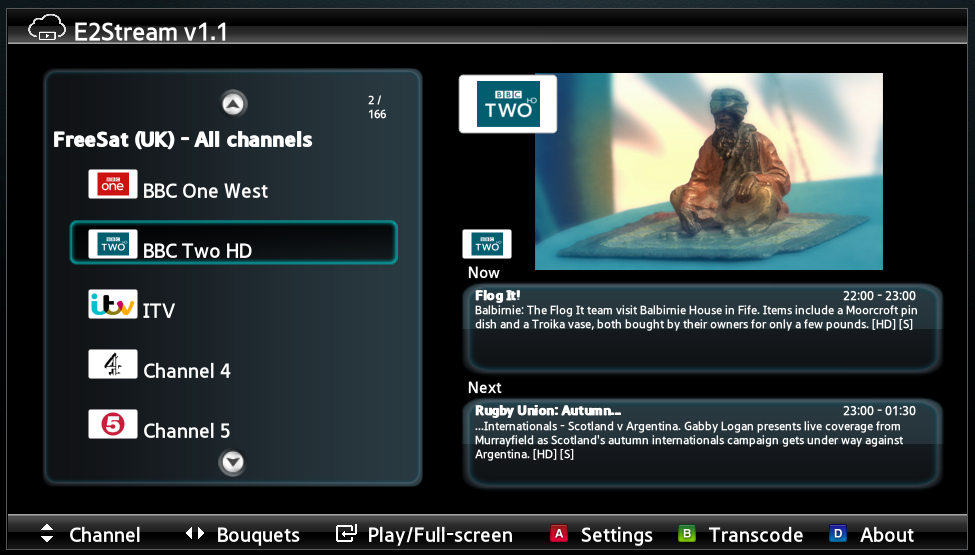
The following screenshot shows the full screen mode (that is really full screen on SD channels!)

fullscreen


E2Stream v1.2

E2Stream v1.2 is now available

This release resolves the full screen (SD channel) issue finally!

Please note, the installation and setup still isn’t the most user friendly process as it requires you to enable a ‘develop’ account on your TV. Instructions to setup can be found here

Note – the installer requires Java v7 or v8 to run.

You can download this here: [download#26#nohits]

For any bugs, please create a new issue here

If you do use E2Stream, please consider donating an amount of your choice to support the continued development and hosting costs of this app!

You can donate any amount you feel is applicable here:


Change Log


v1.2
- Resolved the 4:3 SD Channel issue to now display in full screen
- Remote the erroneous return button from the full screen view

v1.1
- Added installation of additional packages via a command line option.  Pass the folder containing smart tv apps as a command line parameter and these will be installed along with E2Stream.

v1.0
- Initial public release

E2Stream v1.1.1

I’ve uploaded a new version of E2Stream today. The actual SMART TV app remains the same, however I’ve updated the installer to allow for synchronisation of other downloadable Smart TV apps.

If you have a bunch of other Samsung SMART TV apps, simply do the following

  1. Create a new directory on your pc
  2. Copy the downloaded SMART TV app zip files to this directory
  3. Start the installer from the command line, issuing the following command:
    • e2stream-Install.cmd [path to directory]
  4. the command/shell window you should see open indicates the alternate directory detected.
  5. Follow the standard installation instructions that pop up in a browser window, or those from here

For example, assuming your create a directory on the C: drive root called “smartTvApps” the command would be:
e2stream-Install.cmd c:\smartTVApps

Or for those on non-windows machines
java -jar E2Stream-installer.jar /smartTVApps

Now, when you synchronise your TV, it will install e2stream first, and then subsequently install any apps located in the specified directory.  For those who have installed other ‘user’ apps, you should find this very useful to install e2stream and other apps simultaneously.

Please note – I can’t guarantee a successful installation of any additional packages as this is beyond my control.

You can download the latest version here: [download#26#nohits]

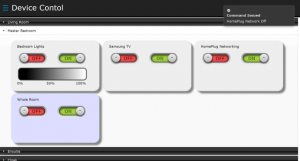
Lightwave RF Control Source Code

The PHP and Arduino code is now available within googlecode github and can be found here:
https://github.com/dpembo/lightwave-control

I’ve had limited time to update this lately, and currently as it stands it fills my needs. I might come back to this at a future point, but for now, if anyone would like write access to the repository to help move this forward, please let me know!

screen


E2Stream v1.1

I’m pleased to officially release E2Stream (v1.1)
The Samsung SMART TV app to stream your enigma 2 based set top box to your SMART TV.
e2streamv11

This release is now fully downloadable and comes with it’s own installer to allow you to install this to your Samsung SMART TV without having to connect to a hosted instance of the sync server.

There are still a few known issues with this so bear with me, a couple of the major/obvious ones being:

  • Non HD channels show in 4:3.
    I did implement a fix for this, however it caused some other issues which I’m still investigating.  The Samsung video player is a little ‘suspect’ and I’m working on an alternative approach.
  • Full Screen.
    Shows the return button to go back however, this currently only the ‘Enter’ button works.

Please note, the installation and setup  still isn’t the most user friendly process as it requires you to enable a ‘develop’ account on your TV.  Instructions to setup can be found here

Note – the installer requires Java v7 or v8 to run. 

You can download this here: [download#26#nohits]

For any bugs, please create a new issue here

If you do use E2Stream, please consider donating an amount of your choice to support the continued development and hosting costs of this app!

You can donate any amount you feel is applicable here: