

E2Stream v2.7

E2Stream v2.7 is now available to download.
You can download v2.7 here: [download#26#nohits]

Change log:

v2.7 - 07/12/2014
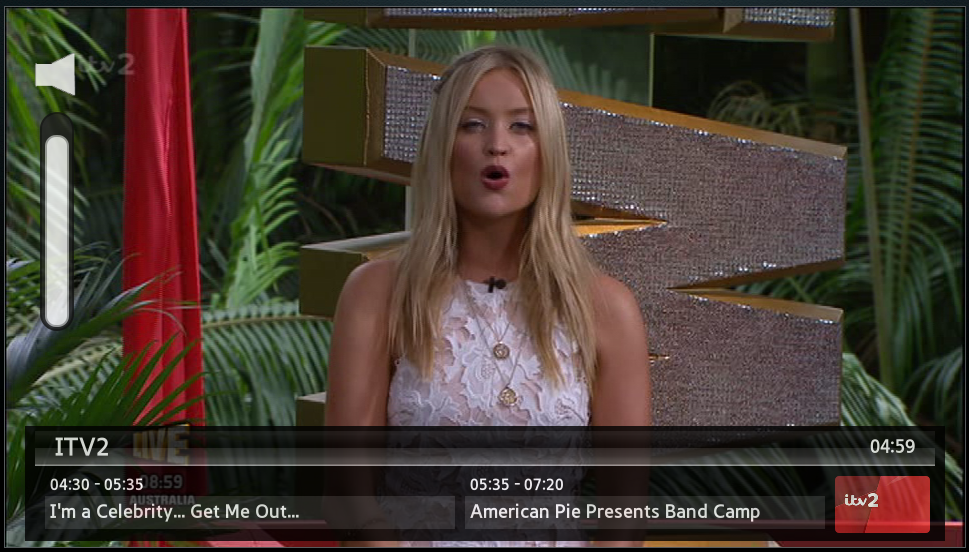
* Added OSD for Volume controls
* Modified CMD file to start installer to try and locate
  a compatible JRE to use
* Added Exit to the installer menu

e2streamv27

Please note, the installation and setup requires you to enable a ‘develop’ account on your TV.
You also need Java v7 or v8 to run the installer.
Instructions to setup can be found here

For any bugs, please create a new issue here

If you do use E2Stream, please consider donating to support the continued development and hosting costs of this app! You can donate any amount you feel is applicable here:


E2Stream v2.5

E2Stream v2.5 is now available to download.
This release brings further stability fixes.

I’ve tested v2.5 in the 2014 Emulator, and E series, and an F series and confirm this works as expected against my enima 2 set top box (VU+ Duo2 running openvix Apollo 096).

You can download v2.5 here: [download#26#nohits]

Change log:

v2.5 - 04/12/2014
* Fixed image paths on series F onwards
* Added Mute icon to show when mute is enabled
* Fixed minor issue in installer causing build problems

v2.4 - 04/12/2014
* Attempt to fix slow startup for some people


Please note, the installation and setup requires you to enable a ‘develop’ account on your TV.
You also need Java v7 or v8 to run the installer.
Instructions to setup can be found here

For any bugs, please create a new issue here

If you do use E2Stream, please consider donating to support the continued development and hosting costs of this app! You can donate any amount you feel is applicable here:


E2Stream v2.3

E2Stream v2.3 is now available to download.
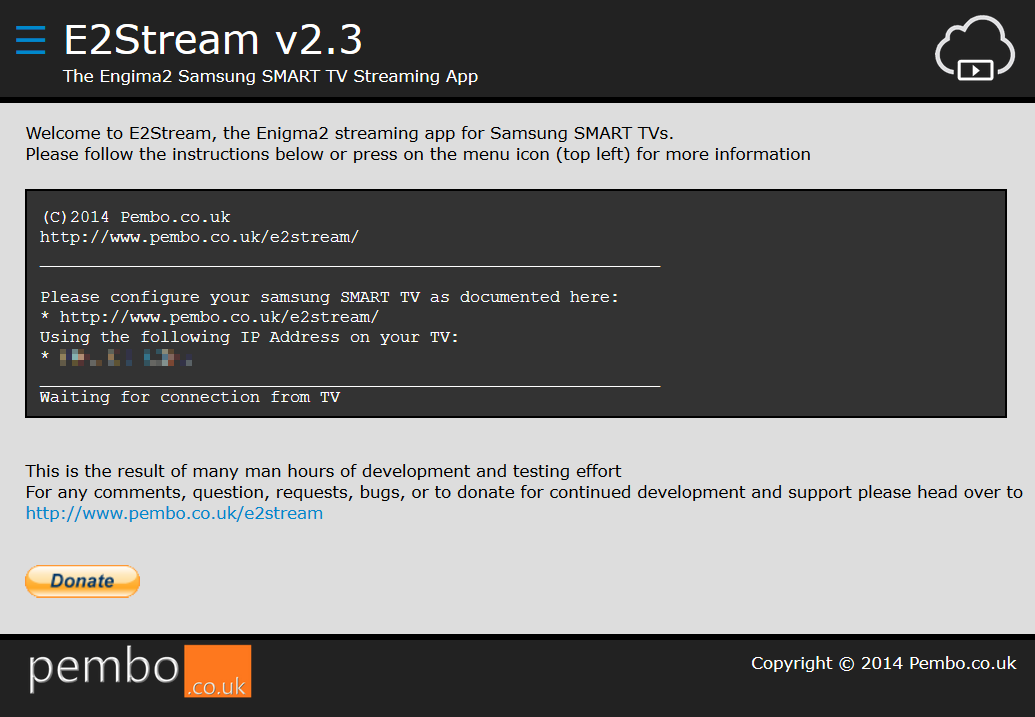
This release brings an improved installer and a stability fix to the recordings list view to resolve user experienced issues.

I’ve tested v2.3 in the 2014 Emulator, and E series, and an F series and confirm this works as expected against my enima 2 set top box (VU+ Duo2 running openvix Apollo 096).

You can download v2.3 here: [download#26#nohits]

Change log:

v2.3 - 03/12/2014
* Updated installer with many changes including:
  - New style
  - Top left dropdown Menu to select screens
  - Admin Screen to provide additional directory rather
    than having to do this on startup
  - Able to exit the installer from the web interface
  - About Screen
  - View of installation process as TV communicates
  - OpenWebIF Response Simulator to aid debugging of
    issues experienced by user.
    Needs files creating in c:\temp\e2logs as follows:
      # gettallservices.xml
      # getlocations.xml
      # movielist.xml
    These files correspond with the openwebif call with
    the same name and should contain a valid XML response.
* Updated E2Stream to handle recordings with no
  e2description element
* Added enter key unregister to try and fix another
  h-series only issue
* Tidy up removal of warnings to help spot issues more
  easily


Please note, the installation and setup requires you to enable a ‘develop’ account on your TV.
You also need Java v7 or v8 to run the installer.
Instructions to setup can be found here

For any bugs, please create a new issue here

If you do use E2Stream, please consider donating to support the continued development and hosting costs of this app! You can donate any amount you feel is applicable here:

installer-img


E2Stream v2.2

E2Stream v2.2 is now available to download as part of my quest to fix the issues on a H-Series TV.
As I don’t have an H-Series it’s a bit of struggle to replicate the issues.

I’ve tested v2.2 in the 2014 Emulator, and E series, and an F series and confirm this works as expected against my enima 2 set top box (running openvix Apollo 090).

You can download v2.2 here: [download#26#nohits]

Change log:


v2.2 - 30/11/2014
* Removed all reference to SF Object
* Changed clock to absolute positioning
* Corrected play button to behave same as enter

v2.1 - 30/11/2014
* Removed screen saver disable to try to resolve
  H series issues!

Please note, the installation and setup requires you to enable a ‘develop’ account on your TV.
You also need Java v7 or v8 to run the installer.
Instructions to setup can be found here

For any bugs, please create a new issue here

If you do use E2Stream, please consider donating to support the continued development and hosting costs of this app! You can donate any amount you feel is applicable here:


E2Stream v2.0

E2Stream v2.0 is now available
You can download v2.0 here: [download#26#nohits]

Change log:


v2.0 - 29/11/2014
* Implemented volume up/down/mute to try and fix issue
  with H Series SMART TV models. OSD Still todo
* Changed start up routine massively to provide more
  information on startup and help optimise this.
* Fixed switch between TV/Recordings views
* Disabled settings change in recordings view
* Added clock to front-screen top right corner
* Changed infobar removal routine for stability
* Fixed scrolling issue on E series within recordings view

Please note, the installation and setup requires you to enable a ‘develop’ account on your TV.
You also need Java v7 or v8 to run the installer.
Instructions to setup can be found here

For any bugs, please create a new issue here

If you do use E2Stream, please consider donating to support the continued development and hosting costs of this app! You can donate any amount you feel is applicable here: